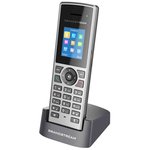
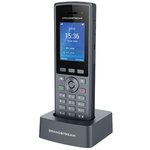
Excellent!
Had the WP816 before but the display is too small this one is great. Perfect size. Using with VoIP.ms in Canada Initial Wi-Fi connection on the phone then IP from router interface I set to manual IP so it won't change everything else can be set up from web interface. admin and the password is in the battery department (sticker) take a picture of that sticker before inserting the battery... Also mine was set for Auto language and that was French had to set to English first after finding it in the menu...
tall2010, 2026-09-17
on Amazon
Works with UniFi Talk
I use this with UniFi Talk. Works great no complaints.
Michael, 2026-09-17
on Amazon
It is better then I expected!
Absolutely does it's job and has beautiful clarity. Works well on my VoIP provider.
Laurie R, 2026-07-22
on Amazon
Clear sound quality build
Best cordless landline VoIP phone I've ever had
Boyden Osborne, 2026-07-09
on Amazon
Unifi Talk works nicely with this WP826
Used this to add wireless to our Unifi Talk install. Of course it doesn't have all the Unifi fluff but it does what we wanted. Easy to use. This was used in addition to our Unifi phones. Maybe one day Unifi will release one (other than the softphone which I do not like) but until then we will use these for local sites that want cordless handsets. A great value overall.
Amazon Customer, 2026-05-07
on Amazon
Awesome wireless phone that works anywhere with Wifi
Great sound quality using G.722 codec behind a Grandstream UCM. GS has some great products and they are a US company headquartered in Boston. Not one of those cheap China phones.
Chris R, 2026-04-08
on Amazon
Nice hardware and functioning software.
Very nice. Good looking. The only problem setting up the software. You feel lost in the beginning. After googling a lot you find solutions on hit and miss. Once all set up function fine until writing this review. For future we will see.
sohail anjum, 2026-02-19
on Amazon
Great alternative to an old school landline phone (hard earned tech tip in review)
Very nice quality handset with more features than I really needed for my specific use case: I wanted a home-based phone for my kids to be able to use for check-ins or emergencies without caving in and getting another smartphone. You need a voip provider (duh) - I signed up for voip.ms which seems to be pretty popular (per Reddit etc) and is very cheap for the minimal use planned. Set up was pretty straightforward* (as another reviewer mentioned once you connect the phone to your wifi it's much easier to complete the configuration on a laptop or desktop connected to the phone's IP address over the same wifi network. * Here's the hard won bit of knowledge: my internet is via Verizon Fios on a Gateway G3100 router. G3100 has something called SIP ALG enabled by default and this screws up outgoing calls (calls can come in but you can't dial out for some techy reason). Props to Google Gemini for finally helping me fix this (the solution is trivial in the end): Solution 1: Change SIP Transport on the Phone (Best Bet) This is the fastest and most effective fix. The SIP ALG almost always only inspects traffic on the default port 5060 using the UDP protocol. By switching your phone to TCP the router will ignore the traffic. Find the IP address of your WP826 phone (usually in Settings > Status > Network Status). Type that IP address into a web browser on a computer on the same Wi-Fi network. Log in to the phone's web GUI (default admin password is on a sticker on the phone or in its box). Navigate to: Account > Account 1 > SIP Settings > Basic Settings. Find the SIP Transport setting. Change it from UDP to TCP. Click Save and Apply at the bottom of the page. Wait for the phone to reboot or re-register. Once it shows registered try making an outgoing call. This should solve the problem immediately.
Nick H. from Philly, 2025-10-29
on Amazon
great VoIp phone good solid feel high quality
The wife lost her mobile phone and we had no house phone then I researched options and stumbled on this VoIp solution and I love it. (great audio and Voip service is a fraction of the regular cost) I had this phone for a while now and it's been on standby in the living room for months staying connected to the wifi service very reliable. The feels is great in the hand seems solid and the audio is good better than what I expected. (my other VoiP phone was a Skype phone decades ago and I remember it had poor audio and felt very low quality and plasticky but not this one) Set up wasn't that bad the meanu features are what you expect contact list etc.. I like it a lot was going to give it 4 stars because it is a bit smaller than what I expected but that's a preference I guess.
J T, 2025-10-26
on Amazon
Great phone. You have to have a VOIP service for the phone to work
Great phone. Well built. Sound quality is excellent. Everyone should know you have to have a phone provider. I use voip.ms The basic plan is $0.85/month and $0.009 per minute. So less than a penny a minute. Or $4.95 per month for 3500 minutes. What I like is I can use the phone on any WiFi network and the phone remembers the network. Setting up the voip.ms account can be a little intimidating but chatgpt can be of great assistance. Let me see if I can explain the basics. Create your voip.ms account. Note residential you can purchase up to 5 numbers. After your account is created and funded. Purchase a DID. This is going to be your phone number. It's organized by State and City. Next create a sub account. This screen has a lot of options. The only thing you are going to fill out is the user name and a password. user name starts with 6 numbers and _ So something like 123456_House Phone. Next create a password. Write down the user name (example 123456_House Phone) and password. You are going to use this to enter into the phone. In the CallerID Number box Use one of my DID's should be selected and your number should be in the field. Leave everything else on the screen as is and click create account on the bottom. Next from the above menu click on DID numbers and manage DID's. Click on the DID then click the orange box with a pencil. (edit DID). Another intimating screen. Don't worry you are only going to change a couple things. First field SIP/IAX select the sub account you created. example (123456_House Phone). Leave everything else as is. Next all the servers select one nearest you. Whichever one you select I suggest taking a picture of it. You are going to enter this into the phone. Once the server is selected go to the bottom of the screen and click the click here to apply changes button. Congrats you now have a working phone number. Next we are going to set up the phone. You need to boot the phone and connect to your wifi network. Once connected to wifi scroll through the menu on the phone and find the phones IP address. Using a laptop or desktop type the IP address of the phone in a browser window. User is admin. You will get a code on the screen of the computer. Enter this code on the phone. Then you will be promoted to change the password. ...
mrrjm, 2025-10-23
on Amazon