Christmas cut off: The Christmas delivery cut-off date has passed. Delivery before Christmas is not guaranteed. For the best chance of receiving your order in time, please select Express shipping.
Please be advised that our website will undergo maintenance at 5:00 PM. We expect to be back online by 7:00 PM. During this time, the website may not function at full capacity.


Christmas cut off: The Christmas delivery cut-off date has passed. Delivery before Christmas is not guaranteed. For the best chance of receiving your order in time, please select Express shipping.
Please be advised that our website will undergo maintenance at 5:00 PM. We expect to be back online by 7:00 PM. During this time, the website may not function at full capacity.
Currently Browsing
TruAudio Crown CDi 1000 2 Channel Power Amplifier 500W CRN-CDI-1000
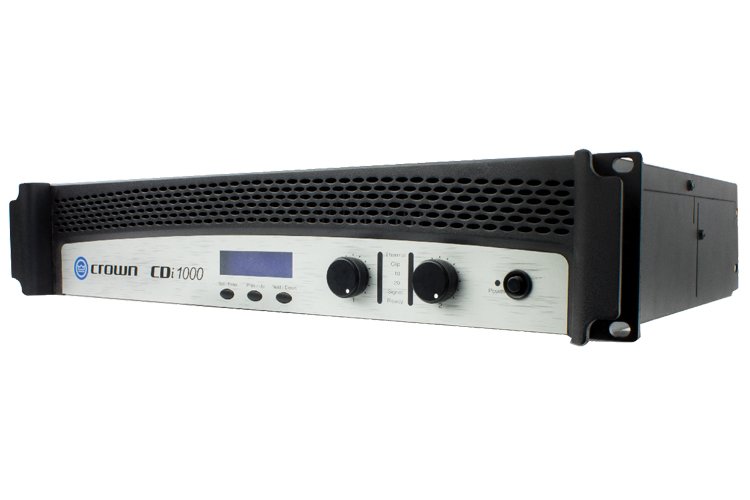
Crown CDI 1000 2 Channel Power Amplifier
- Extremely versatile
- Rated for 2-, 4-, 8- ohm loads and 70V and 140V outputs
- Switch mode universal power supply
- Intuitive front panel LCD screen
- Includes crossovers, EQ filters, delay & output limiting
- Up to 20 user defined DSP presets
* DISCLAIMER: Design, features and specifications subject to change without notice. Some features in videos on the Internet may not be available on all models, please contact us for the TECHNICAL SPECIFICATIONS for a complete list of features by model. This feature list is for reference only, please contact us to verify features and functionality.
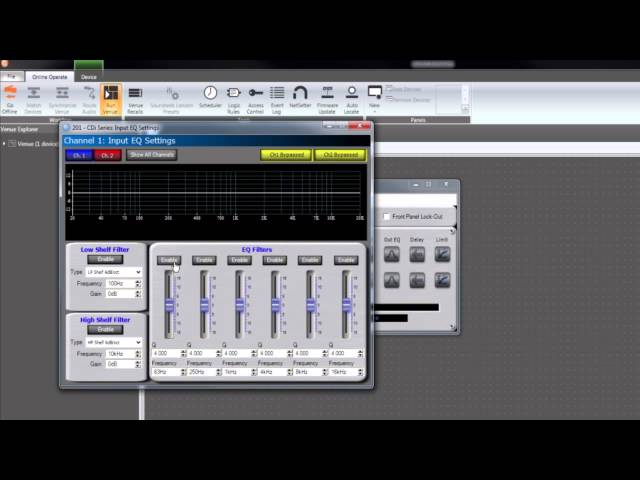
Note: This video is strictly for reference and illustration purposes only. Actual product design and/or inclusions may vary. Please refer to product description for full details, or contact us if you have any questions or specific requirements.
Questions & Answers
How do I set up the DSP on the CDi-1000 Crown Amplifier?
Under the LCD screen on the front of the Crown Amplifier is 3 buttons. The button located on the far left is labelled "SET/ENTER". Push this button once, then immediately push the middle button repeatedly. Doing so will scroll through the DP list, and you should stop when you find the correct one for the install. Now, press the "SET/Enter" button again, this will load the displayed DSP.