Christmas cut off: The Christmas delivery cut-off date has passed. Delivery before Christmas is not guaranteed. For the best chance of receiving your order in time, please select Express shipping.
Please be advised that our website will undergo maintenance at 5:00 PM. We expect to be back online by 7:00 PM. During this time, the website may not function at full capacity.
Our last trading day before the holidays is 20th December, and we will reopen on 13th January.

Christmas cut off: The Christmas delivery cut-off date has passed. Delivery before Christmas is not guaranteed. For the best chance of receiving your order in time, please select Express shipping.
Please be advised that our website will undergo maintenance at 5:00 PM. We expect to be back online by 7:00 PM. During this time, the website may not function at full capacity.
Our last trading day before the holidays is 20th December, and we will reopen on 13th January.

Christmas cut off: The Christmas delivery cut-off date has passed. Delivery before Christmas is not guaranteed. For the best chance of receiving your order in time, please select Express shipping.
Please be advised that our website will undergo maintenance at 5:00 PM. We expect to be back online by 7:00 PM. During this time, the website may not function at full capacity.
Our last trading day before the holidays is 20th December, and we will reopen on 13th January.
Currently Browsing
PreSonus ATOM MIDI Pad Controller
UPC: 673454007149 SKU: PS-ATOM
SHOWROOM NOW OPEN
Visit us at 3/229 Robinsons Road, Ravenhall, VIC





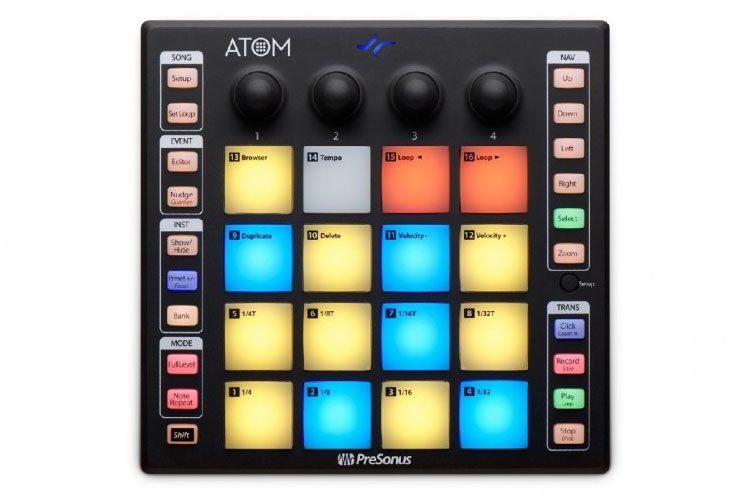
16 RGB LED Atom: Production & Performance Pad Controller
- General
- Trigger loops, effects, play virtual instruments
- 16 full-size, velocity- & pressure-sensitive RGB pads
- 8 assignable pad banks
- MIDI Keyboard mode
- Note Repeat mode
- Full Velocity mode
- 4 programmable rotary encoders & 20 assignable buttons
- Pressure switchable between MIDI aftertouch, channel pressure, CC messages
- Selectable pad velocity curves & pad pressure thresholds
- Studio One Integration Features
- Automatically detected by Studio One Artist
- Navigate & choose an instrument from the Browser
- Studio One dynamically switches ATOM between Keyboard & Drum modes depending on selected instrument
- Create new track
- Change presets on virtual instrument
- Change song tempo
- Set looping points
- Navigate the timeline
- Zoom in & out on the timeline or events
- Edit & quantize MIDI events
- Transport control (stop, play, record)
- Ableton Live Integration Features
- Navigate up, down, left, or right in Live's Session view in banks of 4 with ATOM's navigation buttons
- Launch clips & scenes using ATOM's Session mode
- RGB LEDs display which clips are playing or stopped & reflect each clip's assigned color
- Play virtual instruments & Live's Drum Rack device using ATOM's Note mode
- Navigate Live's mixer using ATOM's Channel mode
- Select, solo, record-enable channels, stop all clips on selected channel
- Change track volume, track panning, Sends A, Sends B for the selected bank with knobs
- Switch between Session & Arranger views from ATOM
- Session Record/ Arranger Record modes
- Dedicated User mode
- Metronome On/Off, Save & Undo, Loop On/Off
- MIDI Keyboard mode
- Note Repeat mode
- Full Velocity mode (only send velocity 127)
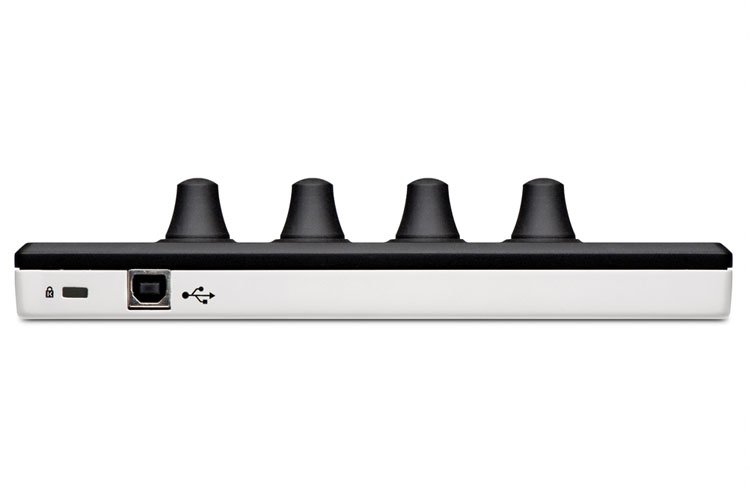
- USB 2.0
- Included Software
- Studio One Artist production software for Mac & Windows
- Ableton Live Lite (for registered users after October 20, 2019)
- MVP Loops content custom-designed
- Compatible with Mac & Windows
Note: This video is strictly for reference and illustration purposes only. Actual product design and/or inclusions may vary. Please refer to product description for full details, or contact us if you have any questions or specific requirements.